


status - sims but social media
4.217.61K Reviews
App Specs
- Version
- 1.9.61
- Updated On
- License
- Free
- Downloads
- 1,000,000+
- Developer
- WishRoll
- Categories
- Lifestyle
- Platform
- Android, iOS
Screenshots
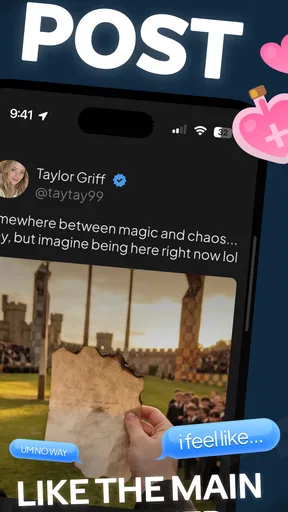
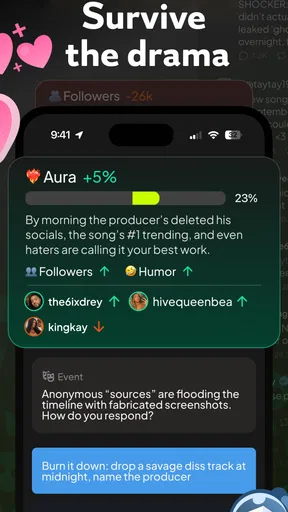
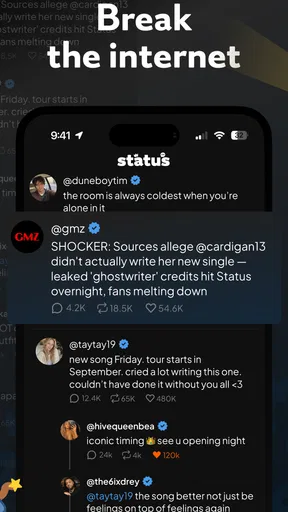
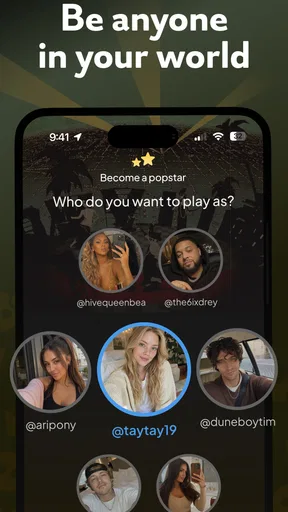
 Analysis by AppCompare
If you've ever wondered what it'd be like to live out your wildest social media fantasies without the pressure of public opinion, then Status - Sims But Social Media might just be your new favorite app. As a fan of both simulation games and social media, I was eager to dive in and see what this app had to offer. Spoiler alert: I wasn't disappointed!
A virtual feed, not a real audience
The first thing I’d tell a friend is to approach this as a playful simulation rather than a replacement for a real social network. Its appeal is the distance: you can imagine a public persona and follow the ups and downs of a social feed without having to put your actual life, photos, or reputation on display. That makes it a different sort of lifestyle app, one that borrows the language of online influence for an experience meant to be played with.
That distinction matters when deciding what you want from it. If you’re hoping to message friends, share real photos, or build an audience outside the app, this isn’t the tool I’d choose. If you’re curious about the performance and planning that go into an online identity, though, a fictional setting gives you room to experiment without treating every post as a statement about yourself.
The Concept Behind the App
The idea is simple yet genius. Imagine a world where you can create your ideal online persona, craft posts, gain followers, and watch your influence grow—all without the anxiety of real-world repercussions. Status - Sims But Social Media allows you to experience the thrill of becoming a social media sensation within a safe, virtual environment. It’s like the love child of "The Sims" and Instagram.
Creating Your Virtual Persona
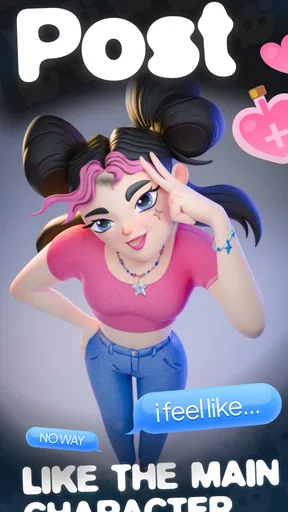
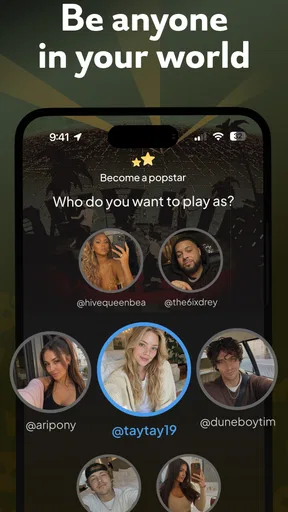
Getting started is a breeze. You begin by designing your character, tweaking everything from their hairstyle to their fashion choices. The customization options are vast, allowing you to craft a persona that truly reflects your ideal self—or someone entirely different! I spent a decent amount of time just playing around with different looks and styles. After all, this is your chance to live out those "what if" scenarios.
A useful way to make that first choice is to decide what kind of story you want the avatar to tell. A polished, aspirational character invites one kind of role-play; a deliberately unusual persona can make the whole exercise feel less like chasing approval and more like improvisation. I’d treat the character as a starting point for a small experiment, not a profile that has to represent me perfectly. That keeps customization fun instead of turning it into another task of self-presentation.
For a quick session, I’d choose a look and move on to posting rather than trying to perfect every detail first. If the main pleasure for you is styling, take your time; if you’re more interested in the simulated social story, an avatar you like is enough to get started. This is one of the app’s most appealing trade-offs: it lets you linger over appearance, but the character design can also absorb time before you reach the part that interests you most.
Worth Reading Before You Choose

Flipboard Shows What News Apps Must Do Beyond the Feed

Switching to Android Auto Means Rethinking Your Driving Routine

Google Calendar Makes a Crowded Week Easier to Manage

Ludo King Makes the Most of the Minutes Between Plans

Baby Panda World Brings Quick Play to Modern Phones, but Its Game Library Feels Busy

ESPN’s Live Game View Makes Following Close Games Easier
Crafting the Perfect Post
Once your avatar is ready, it's time to jump into the heart of the app—creating content. You can choose from various post types, including selfies, food pics, travel shots, and more. The editing tools are intuitive, offering filters and effects that rival even the most popular photo-editing apps. I had a blast experimenting with different combinations to create eye-catching posts.
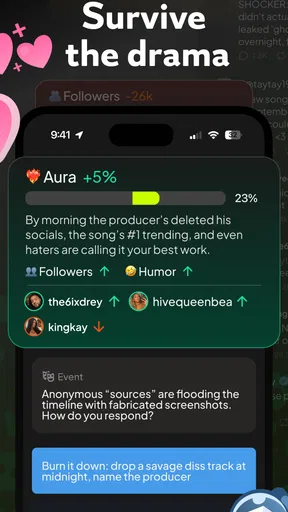
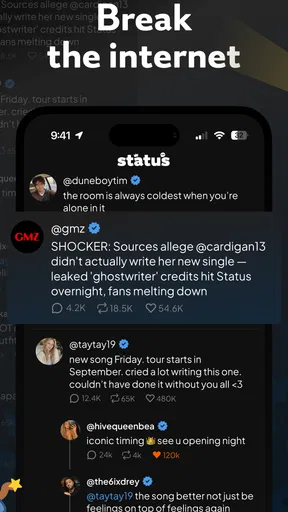
But here's where it gets really interesting: the app uses a dynamic algorithm to simulate social media reactions. Your posts can go viral, attract followers, and even spark online debates, all based on your choices. It’s a fascinating way to explore the ripple effect of social media interactions without any real-world consequences.
One small strategy I’d use is to think of each post as part of a sequence rather than a one-off attempt to make something popular. Try a consistent mood or subject for a few posts, then change direction and see how the simulated response feels. That gives the creative choices a bit more purpose and helps make a session feel like a story. The trade-off is that the reactions are part of a designed simulation: they can make the feed engaging, but they shouldn’t be mistaken for a dependable lesson about how real platforms rank content.
For example, imagine opening the app during a quiet break and giving your avatar a short “day out” theme: choose a look, make a food or travel-style post, and see how the fictional feed responds. You can then decide whether to keep that identity or try a contrasting post next time. It’s a low-pressure way to fill a few minutes with a creative prompt, rather than an obligation to maintain a real account or keep up with actual followers.
Building Your Follower Base
As with any social media platform, followers are key. In Status - Sims But Social Media, you’ll need to engage with your virtual community to grow your influence. This means liking, commenting, and even collaborating with other users. The app cleverly incorporates social networking elements, making it feel both authentic and engaging.
One feature I particularly enjoyed was the "Trending Topics" section, which offers a rotating selection of hot topics to inspire your next post. It adds an element of strategy, as you’ll need to decide whether to follow trends or carve your own niche. It’s a delicate balance that keeps the gameplay fresh and exciting.
I’d use those topics as prompts, not rules. When one fits the persona you’re building, it gives you an easy way past the blank-page problem; when it doesn’t, forcing a trend can make the character feel less coherent. Alternating between a timely topic and a post that reflects your avatar’s chosen style is a simple way to keep the activity varied without turning every decision into a hunt for the biggest reaction.
The follower loop also makes this a better fit for people who enjoy small, repeatable choices than for anyone looking for an open-ended creative studio. The pleasure comes from deciding what to publish and watching a simulated community respond, not from producing a perfect image with professional editing controls. If photo editing itself is your priority, a dedicated editing app will usually be a better match; if you want a light role-playing wrapper around content choices, the combination here is more distinctive.
The Unexpected Learning Curve
While the app is undeniably fun, it also offers some surprising insights into the world of social media. You start to realize how much effort goes into crafting a successful online presence. It’s a reminder of the careful curation behind every post, and it might just make you appreciate your favorite influencers a bit more.
On the flip side, it also reveals the fickle nature of online fame. One minute, you're basking in the glow of a viral post; the next, you're scrambling to maintain your relevance. It’s a rollercoaster ride that mirrors the real digital landscape, minus the stress.
I’d keep that insight in proportion. The app can prompt you to notice the effort and uncertainty involved in presenting a persona, but a simulated response is still entertainment, not a full explanation of real-world social platforms. Its value is in giving you a playful perspective on posting and attention, not in teaching a guaranteed growth formula. That limitation is worth remembering if you’re coming to it for practical advice about running a real creator account.
There is also a difference between enjoying the idea of a simulated social life and wanting a deep management game. The premise may sound like a broad life simulator, but the focus described here is specifically on persona, posts, and audience reactions. I’d choose it for that focused fantasy rather than expect a sprawling simulation with unrelated systems. Players who want complex, long-term management may find a more dedicated simulation game better suited to them.
Who will get the most out of it
I’d recommend it to someone who likes styling characters, inventing fictional online identities, or turning everyday themes into small creative prompts. It can work well for a brief break because you can pick a topic, shape a post, and see what happens without needing to coordinate with friends or maintain a real profile. It may also appeal to people who enjoy observing the mechanics of trends and attention, as long as they treat the app’s reactions as a playful model rather than real platform analytics.
I’d steer away from it if your main goal is genuine social connection, a professional content workflow, or precise photo-editing control. It also may not hold the attention of someone who dislikes follower counts and trend-based choices, even in a fictional setting. In those cases, a private creative journal, a conventional social network, or a focused avatar editor would answer the need more directly than this hybrid experience.
Before settling into a longer session, I’d also decide whether you want to play for the character-building side or for the simulated popularity arc. That simple choice helps avoid expecting one part of the app to deliver what belongs to another. You can then treat trends as inspiration, keep a consistent persona if that appeals to you, and switch styles when experimentation is the point. The best use is the one that feels like play rather than a chore to keep an imaginary audience satisfied.
Practical fit and value
As a lifestyle app from WishRoll, it sits in an unusual space between a character-driven game and a social-media-themed pastime. It is free to start, has an Everyone age rating, and offers in-app purchases ranging from $0.99 to $199.99 per item. I’d be comfortable trying the basic experience before spending anything, then deciding whether any optional purchase genuinely adds to the way I play. The wide range in item prices is a good reason to check the purchase screen carefully and avoid treating spending as necessary to enjoy the central idea.
The app has a 4.1 average from around 360,000 ratings, with about 7,000 written reviews, and has passed one million installs. Those figures suggest that plenty of people have tried it, but they don’t tell me whether its particular mix of avatar creation and simulated posting will suit you. For practical compatibility, the current version is 1.9.7 and it requires Android 7.0 or later. I’d check that requirement before installing, especially on an older device.
A question I’d naturally ask is whether I need to bring real friends into the experience. The central appeal is creating and guiding a virtual persona, so I’d approach it as something you can enjoy on your own rather than as a tool for coordinating a real group. Another sensible question is whether it can replace a social network: it can’t serve the same purpose when the goal is to contact people you know or publish to an actual audience. Thinking of it as a personal simulation makes its strengths clearer and its limits less surprising.
Final Thoughts
Overall, Status - Sims But Social Media is a delightful blend of creativity, strategy, and social interaction. Whether you're a social media aficionado or just looking for a unique gaming experience, this app delivers on all fronts. I found myself getting lost in the process of creating and sharing, eager to see how my virtual persona would evolve.
If you’ve ever wanted to explore the world of social media from a safe distance, this app is your ticket. It’s a playful, insightful, and ultimately satisfying way to engage with the digital world. So why not give it a try? Who knows, you might just become the next big virtual influencer!
My recommendation is strongest for curious, creative players who want the fantasy of shaping a feed without the real-world audience attached. I’d start by building a character with a clear style, use a few trending prompts selectively, and see whether the post-and-reaction loop stays entertaining for you. If it does, there’s a distinct little role-play experience here; if you want real connection, serious creator tools, or a deeper simulation, another kind of app will be a better fit. That balance is why I find it appealing: it makes online influence a low-pressure subject to play with, while asking the player to supply the imagination.
Pros
- Engaging social interactions.
- Customizable avatars enhance fun.
- Real-time chat feature.
- Wide range of virtual activities.
- Frequent updates with new content.
Cons
- Requires constant internet connection.
- In-app purchases can be pricey.
- Limited offline functionality.
- Occasional server issues.
- Notifications can be overwhelming.
FAQs for status - sims but social media
What is Status - Sims but Social Media?
Status - Sims but Social Media is a unique app that combines the engaging elements of life simulation games with social networking features. Users can create avatars, manage their virtual life, and interact with others in a dynamic online community. It offers a mix of creativity, social interaction, and personalized experiences.
Is Status - Sims but Social Media free to download and play?
The app is free to download on both Android and iOS platforms. While users can enjoy many features at no cost, there are in-app purchases and premium options available that can enhance the gameplay experience. These might include special items, avatar customization options, and ad-free usage.
What are the system requirements for Status - Sims but Social Media?
To run Status - Sims but Social Media smoothly, it's recommended to have a device with at least 2GB of RAM and the latest version of Android or iOS installed. The app is regularly updated, so maintaining your device's software will ensure optimal performance and access to all the latest features.
Can I interact with real users in Status - Sims but Social Media?
Yes, one of the key features of Status - Sims but Social Media is its interactive community. Users can connect with friends, join groups, participate in events, and share their virtual experiences. This social aspect is designed to enhance engagement and provide a lively, community-driven environment.
How secure is my personal information on Status - Sims but Social Media?
The app prioritizes user privacy and data security. It employs encryption and other security measures to protect personal information. However, users should always be cautious about sharing sensitive data online. The app's privacy policy provides detailed information on how data is collected and used.


